


Glitter Wallpapers For Girls
4.8129.00 Reviews
App Specs
- Version
- 5.1.0
- Updated On
- License
- Free
- Downloads
- 1,000,000+
- Developer
- o16i Apps
- Categories
- Personalization
- Platform
- Android
Screenshots

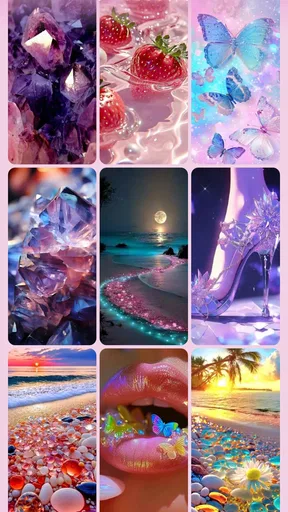
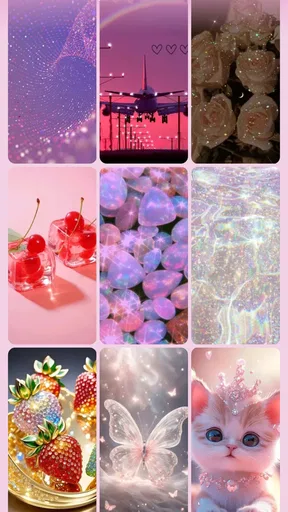
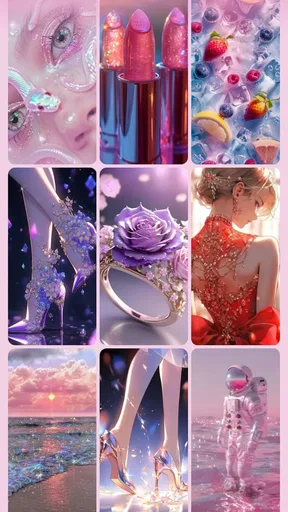
 Analysis by AppCompare
If you're like me and love adding a touch of sparkle to your daily life, then Glitter Wallpapers For Girls might just be your new favorite app. It’s like a treasure trove of glittery goodness waiting to bedazzle your phone. Let me take you through my experience with this sparkling delight.
Free to try, with a clear spending boundary
The app is free to download, which makes it easy to see whether its style suits your phone before spending anything. There are in-app purchases, with listed item prices ranging from $0.99 to $99.99, so “free” describes access, not necessarily every available option. I’d start by browsing what you can use without paying and only consider a purchase if you find a particular benefit worth the cost. The price range is wide enough that I would check the exact item and amount shown in the app before confirming anything.
That distinction matters for a wallpaper app: the main value is whether you actually like looking at its designs every day, not how many choices appear in a gallery. I wouldn’t treat a paid option as automatically necessary to get a usable background. If the free selection already gives you a look you enjoy, there’s no reason to spend just because an upgrade is available.
First Impressions: A Shimmering Start
Upon downloading Glitter Wallpapers For Girls, I was greeted with an interface as shiny as the wallpapers it offers. The layout is super user-friendly, making it easy to navigate through the vast collection of wallpapers. Trust me, you won’t be fumbling around trying to find that perfect background.
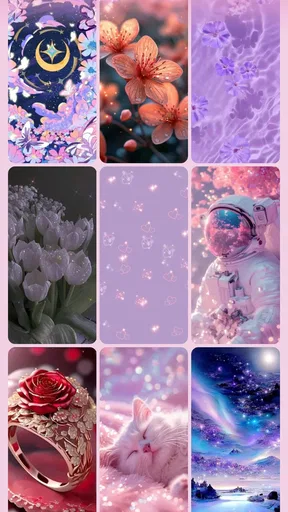
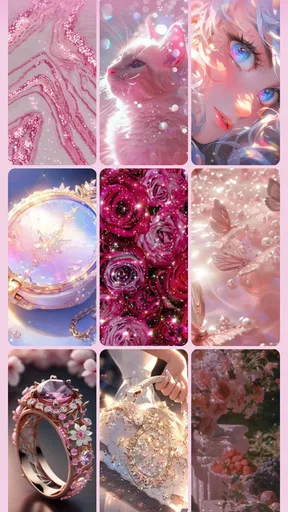
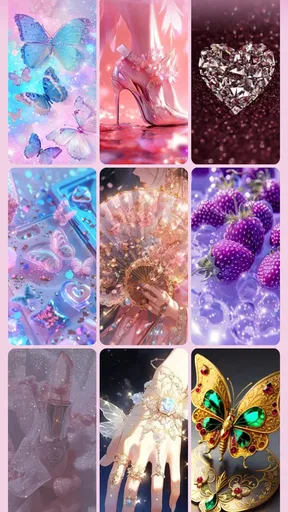
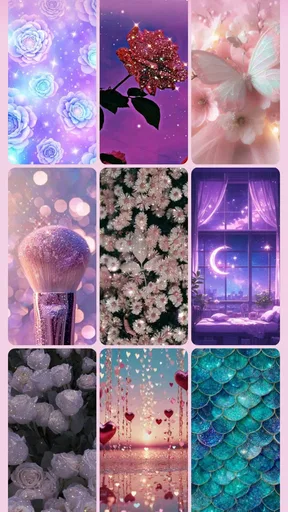
As soon as I opened the app, I was met with a burst of colors and textures. The wallpapers range from subtle shimmers to full-on glitter explosions. Whether you're into pink sparkles or a more mystical galaxy vibe, this app has it all. It’s like having a glittery universe right at your fingertips.
Choosing a background that works beyond the preview
For me, the best way to browse a colorful wallpaper collection is to think about the phone I use every day, not just the image that looks most striking on its own. A bright, detailed design can be fun as a lock screen but compete with app icons on the home screen. I’d preview a couple of favorites in both places before settling on one; a pattern that feels lively full-screen may make the home screen harder to scan.
This is also where the app’s glitter-heavy identity is a matter of taste. If you want a quiet, plain backdrop that keeps attention on widgets and icons, a simple color or minimalist wallpaper source will probably suit you better. If the point is to make the phone feel playful and expressive, the range of shimmer and color is much more relevant than a gallery focused on understated photography.
Worth Reading Before You Choose

EA SPORTS FC Mobile 26 Is a Bigger Football Game, but It Takes Time

Flipboard Shows What News Apps Must Do Beyond the Feed

Switching to Android Auto Means Rethinking Your Driving Routine

Google Calendar Makes a Crowded Week Easier to Manage

Ludo King Makes the Most of the Minutes Between Plans

Baby Panda World Brings Quick Play to Modern Phones, but Its Game Library Feels Busy
Exploring the Glittery Collection
One of the standout features of the app is its diverse collection. I spent a good chunk of time just scrolling through the options and loving every minute of it. There are categories galore, like unicorns, hearts, and even abstract designs. The app offers something for every glitter-loving soul out there.
Rather than save every attractive image, I’d narrow the choice to a small set that suits different situations: perhaps one design that stays readable behind icons and another that feels more decorative on the lock screen. That makes it easier to change the phone’s look without starting a long browsing session again. It’s a small habit, but useful when a large collection makes choosing harder rather than easier.
A realistic use for this kind of app is a quick refresh before a new week, a trip, or a change of season. I might pick a softer design for workdays, then switch to a more vivid one when I want the phone to feel more personal. Because the wallpapers are visual rather than functional tools, the payoff is simple: a little change in the screen you see constantly. That can be enjoyable, but it won’t replace broader phone theming if you want icons, widgets, and system colors to match as well.
What I really appreciated was the ease of applying the wallpapers. With a simple tap, I could preview how a wallpaper would look on my home screen or lock screen. It’s a seamless process, and before I knew it, my phone had transformed into a glitter-fueled masterpiece.
Customization and practical checks
Aside from the stunning pre-made wallpapers, the app also allows some level of customization. You can add extra elements or even adjust the intensity of the glitter effect. This feature is perfect for those who want to add a personal touch to their wallpapers. I had a blast experimenting with different combinations and making my phone truly unique.
My practical tip is to make one adjustment at a time and preview the result before applying it. When a design already has a lot of color and sparkle, adding more visual detail can make it feel busy rather than personal. A lower-intensity treatment may work better behind icons, while a stronger effect can be more satisfying on a screen you mostly view without app labels. The right choice depends on how you use the screen, not just how the wallpaper looks in the editor.
It’s also worth deciding whether you want the same image on both screens or separate looks. A coordinated pair can make the phone feel intentional, while a more detailed lock screen and simpler home screen can keep everyday navigation clearer. I’d treat the preview as a decision tool rather than assume the most elaborate option will be the most comfortable one to live with.
Performance: Smooth and Sparkly
Let’s talk performance. I’ve been using the app for a while now, and it runs smoothly without any hiccups. The wallpapers load quickly, and I haven’t experienced any lag or crashes. It’s clear that the developers put a lot of thought into ensuring the app functions well.
Moreover, the app doesn’t drain battery life, which is a huge plus for me. I’ve had apps before that made my phone battery run out faster than you can say "glitter," but this one seems optimized for efficiency.
For anyone checking compatibility before installing, the current version is 5.1.0 and the minimum Android requirement is 8.0. The app is rated for Everyone, so its intended audience isn’t limited to adults, although individual tastes will still vary. It was released on May 20, 2021, and is developed by o16i Apps. Those details make it straightforward to judge whether it fits your device and household, without confusing a decorative wallpaper tool with a full launcher or theme system.
Updates, saving, and what to expect
The app also has a vibrant community aspect. Users can share their own creations and get inspired by others. It’s a fantastic way to keep the app feeling fresh and exciting. Plus, the developers seem committed to regular updates, constantly adding new wallpapers and features to keep us all hooked.
In addition, there’s an option to save your favorite wallpapers, so you can easily switch between them whenever you feel like giving your phone a new look. I find myself doing this quite often, just because there are so many gorgeous options to choose from.
Saving favorites is especially handy if you tend to change your background often: it turns browsing into a shortlist instead of making you search through the whole collection each time. I’d keep only the designs I can genuinely imagine using. That also makes it easier to compare them in context and avoid choosing a wallpaper simply because it caught my eye during a long scroll.
The app’s audience response is strong, with a 4.9 average from around 17,000 ratings and over a million installs. I take that as a sign that the glitter-focused style has found an audience, not as proof that every user will love it. Someone who prefers muted photography or clean geometric backgrounds may still find the same bold look too busy, regardless of its popularity.
Where it fits among wallpaper alternatives
Compared with the usual alternatives, this app is best understood as a focused source for glitter and cute decorative backgrounds. A general wallpaper library may be a better choice if you want landscapes, photography, or a wider range of styles in one place. A phone’s built-in wallpaper picker is the simpler route if you only need a basic background and don’t want a dedicated app. I’d choose this one when sparkle is the point, rather than expect it to cover every kind of personalization.
There is a trade-off between browsing variety and visual restraint. A large themed collection can make it easier to find a design that matches a particular mood, but it also encourages extended scrolling and makes similar-looking choices blur together. I’d use the categories to get close to a style first, then stop once I find a wallpaper that works on the actual screen. More browsing isn’t always a better use of time when the end result is a background you’ll mostly glance at.
Final Thoughts: A Glittery Gem
All in all, Glitter Wallpapers For Girls is a must-have app for anyone looking to add a bit of sparkle to their life. It’s fun, easy to use, and packed with beautiful designs that can cater to every mood and style. Whether you're a long-time lover of glitter or new to the shimmer scene, this app is sure to delight.
I’d recommend trying it if you enjoy cute, shiny backgrounds and want an easy way to give your screen a more playful look. I’d skip it if your priority is a restrained interface, broad non-glitter imagery, or a complete makeover of icons and widgets. The free access makes a first look low-commitment, while the in-app purchases are a reason to check what is included before buying rather than assume every option costs nothing.
For context, it sits in the personalization category, and its popularity is reflected in 128 reviews alongside its larger rating count. That gives a sense of how it is received, but the right test is still personal: choose a design, preview it on both screens, and see whether it remains pleasant after the novelty wears off. A wallpaper should be enjoyable in daily use, not only impressive while browsing.
If you're ready to transform your phone into a glittering spectacle, this app is your go-to. So go ahead, dive into this world of sparkles and let your phone shine as bright as you do!
Pros
- Wide variety of glitter designs
- User-friendly interface
- High-quality resolution images
- Regular updates with new wallpapers
- Free to download and use
Cons
- Contains in-app ads
- Limited customization options
- No offline mode for browsing
- Some designs are similar
- Requires internet for updates
FAQs for Glitter Wallpapers For Girls
What features does Glitter Wallpapers For Girls offer?
Glitter Wallpapers For Girls provides a wide range of sparkling, vibrant wallpapers designed especially for girls. The app includes categories such as glitter patterns, cute animals, and inspirational quotes. Users can easily set wallpapers with just a tap, and new wallpapers are regularly added to keep the content fresh and exciting.
Is Glitter Wallpapers For Girls free to download and use?
Yes, Glitter Wallpapers For Girls is free to download and use. The app provides a substantial collection of free wallpapers. However, there may be some premium options or features available for purchase to enhance the user experience, such as ad removal or exclusive content.
Does the app require internet access to function?
While internet access is required to download new wallpapers and receive updates, once a wallpaper is downloaded or set, it can be used offline. This allows users to enjoy their favorite glitter wallpapers without needing constant internet connectivity, making it convenient for on-the-go use.
Are the wallpapers compatible with all devices?
Glitter Wallpapers For Girls is designed to be compatible with most Android and iOS devices. The app optimizes wallpapers to fit various screen sizes, ensuring a high-quality display. Users should ensure their device meets the app's system requirements for optimal performance.
How often is new content added to the app?
The developers of Glitter Wallpapers For Girls regularly update the app with new and trendy wallpapers. Typically, updates occur weekly or bi-weekly, ensuring users have access to the latest glittery designs and styles. Users can enable notifications to stay informed about new additions.


